Unifi access - Receiving Intercom Calls on Your Phone
Receiving Intercom Calls on Your Phone
Allows the user to receive a notification on their phone when someone dials the apartment number on the intercom at the main entrance door.
Prerequisite: the user must have the app installed and configured (see the Adding a User section).
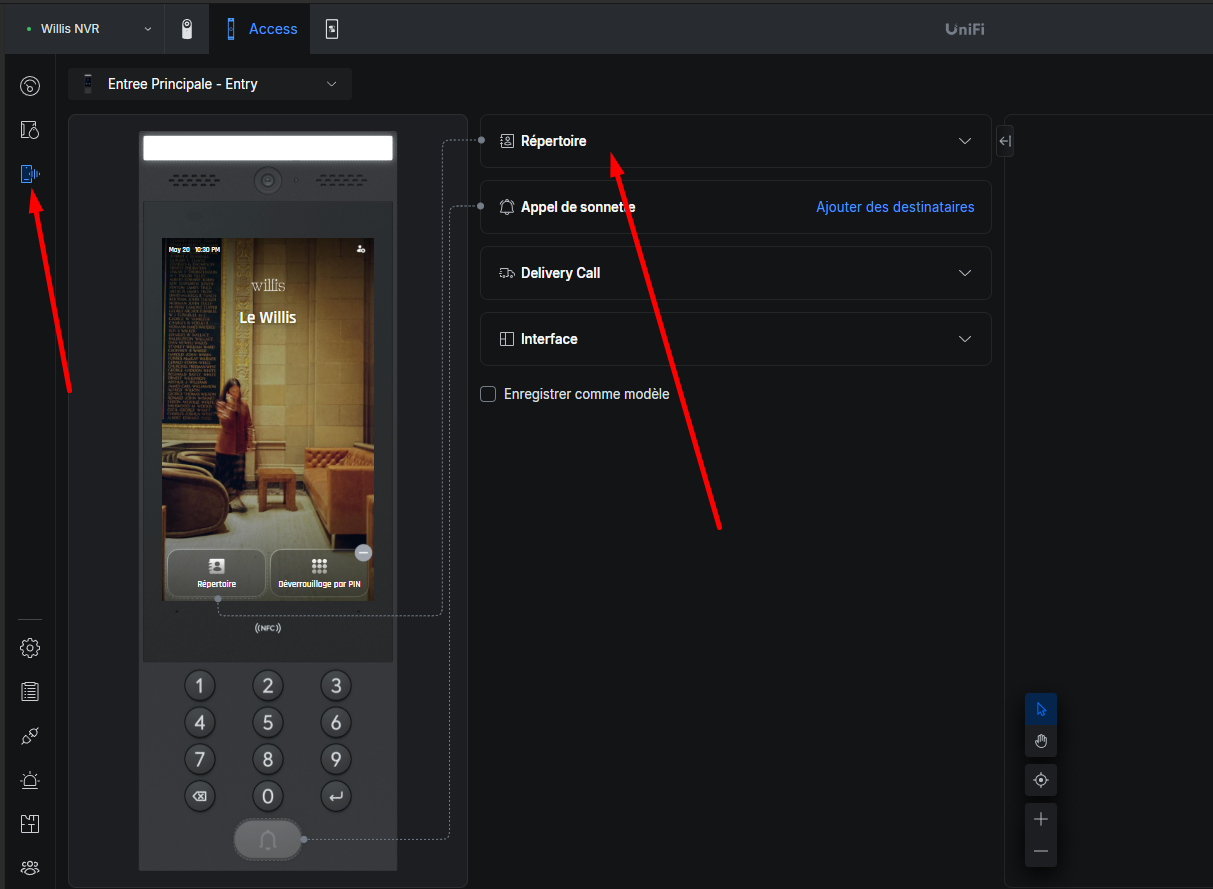
- On the platform, go to the Interface tab.
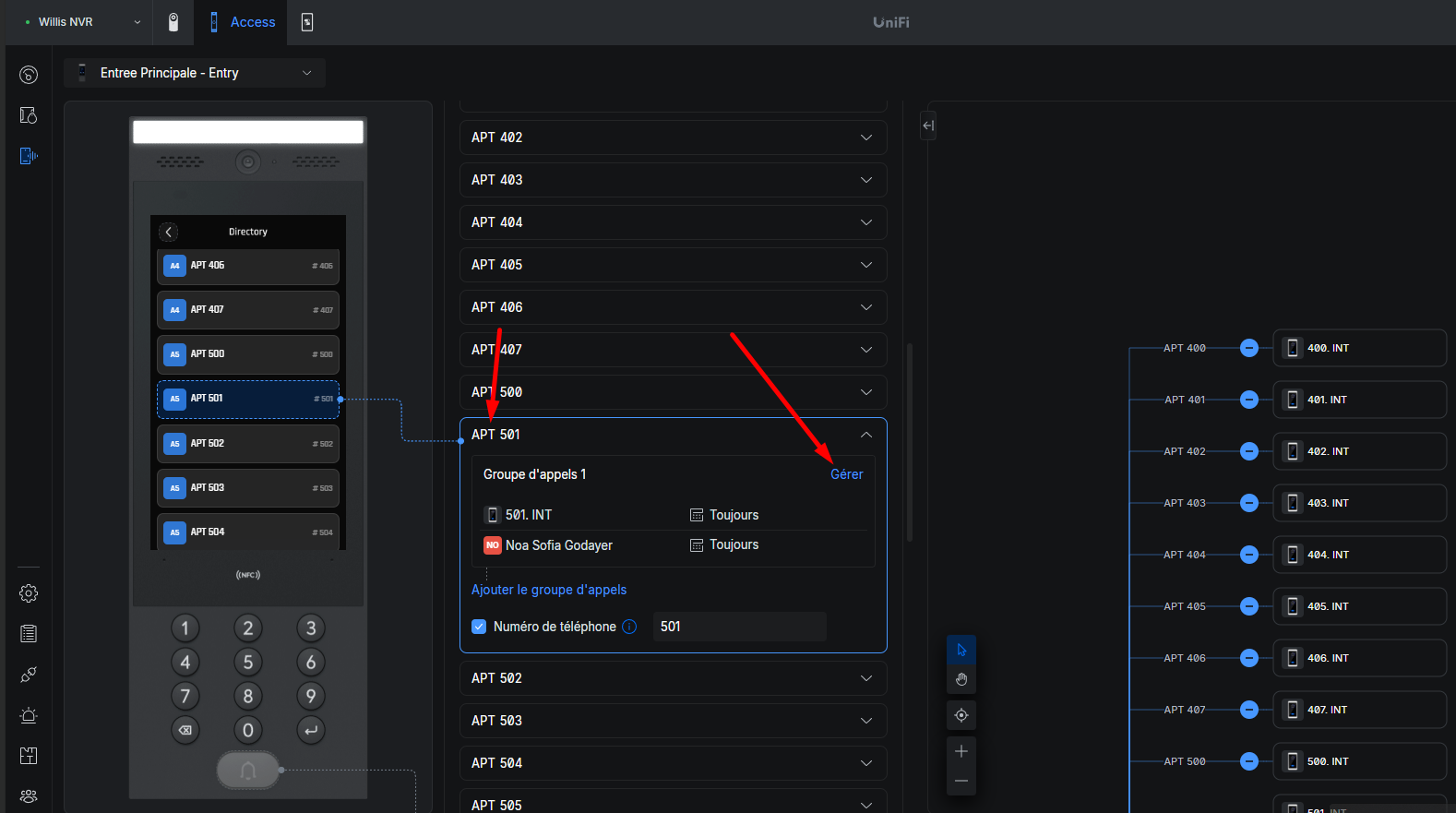
- Click Directory, then select the desired apartment.
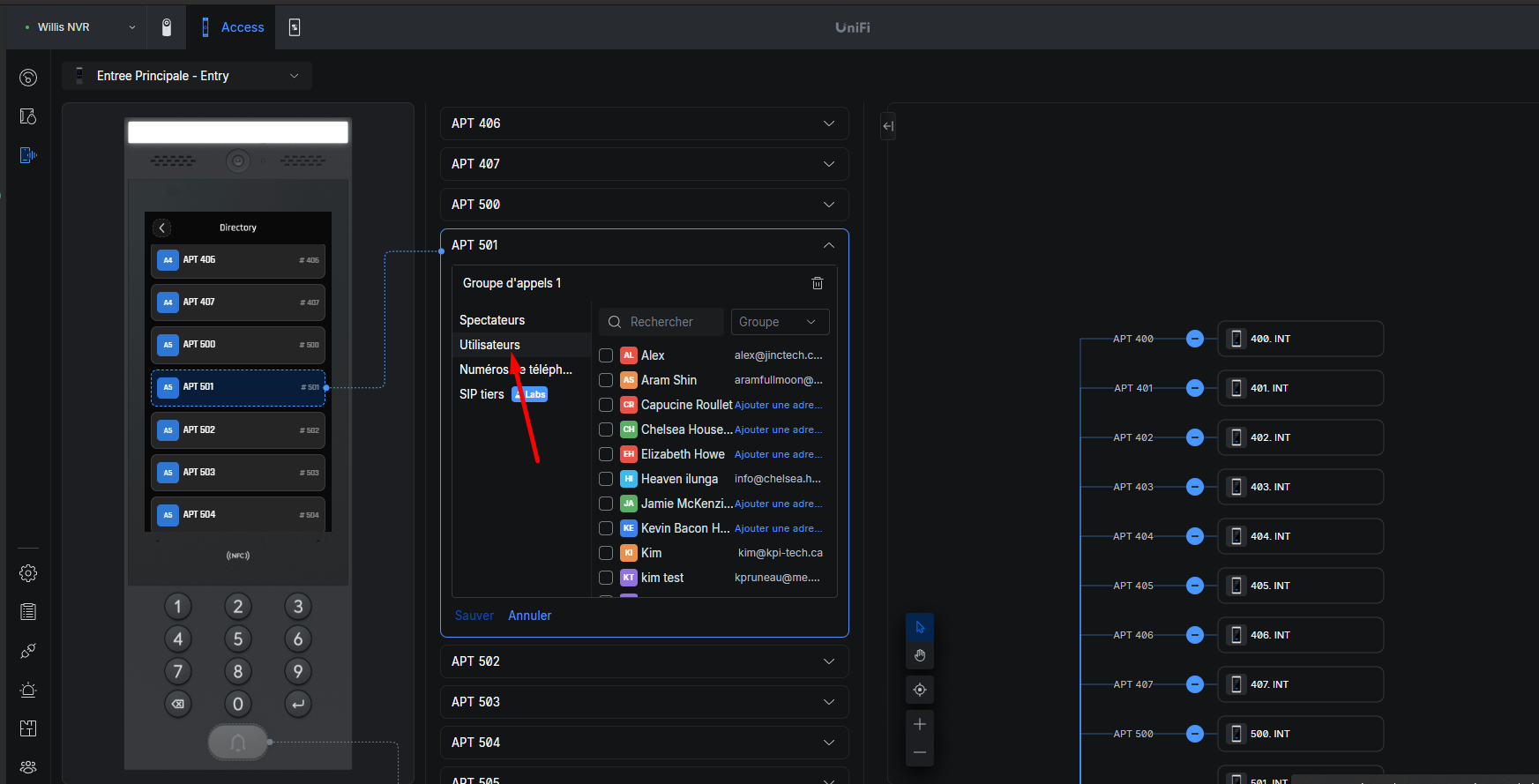
- Click Manage, then Users.
- Add the user who should receive the notification when the apartment is called.